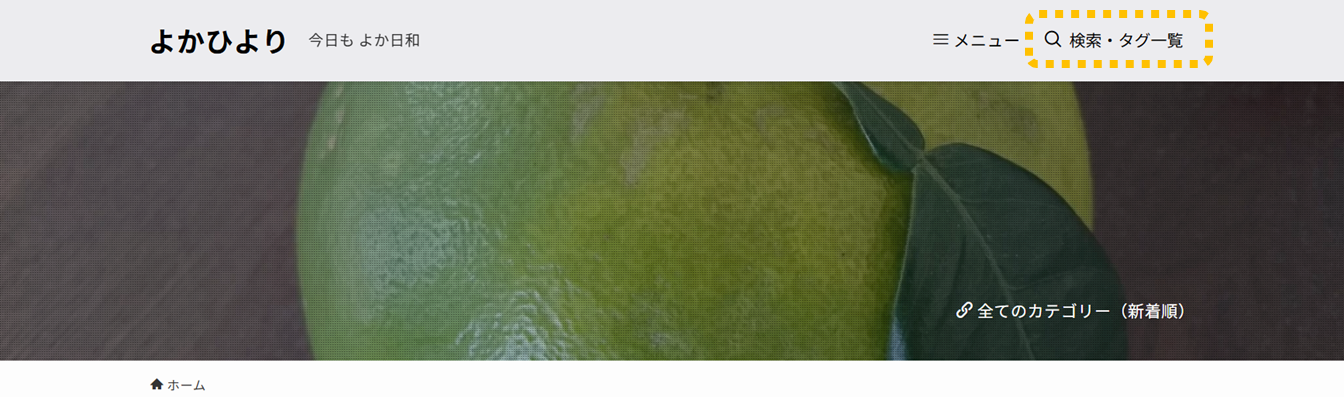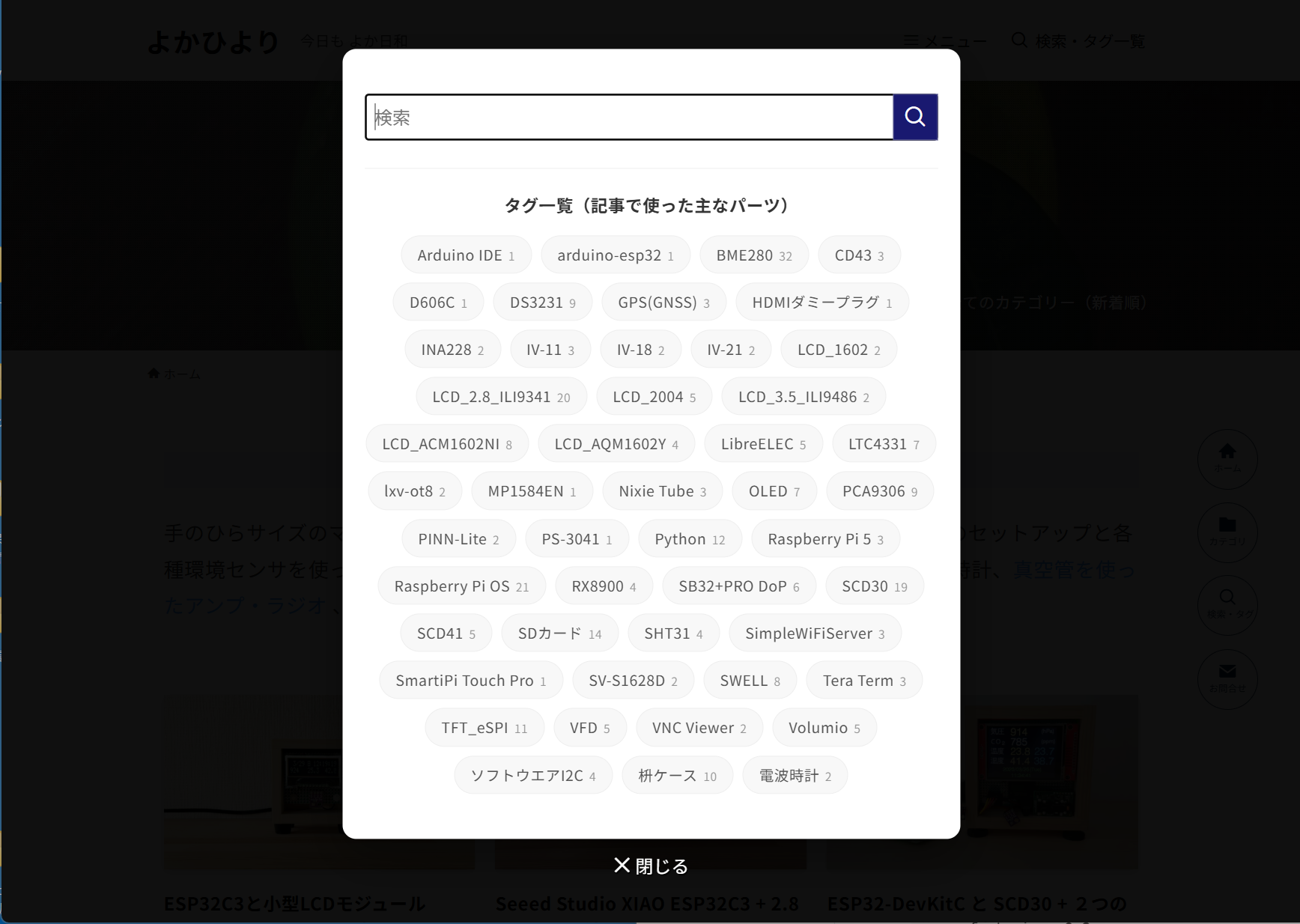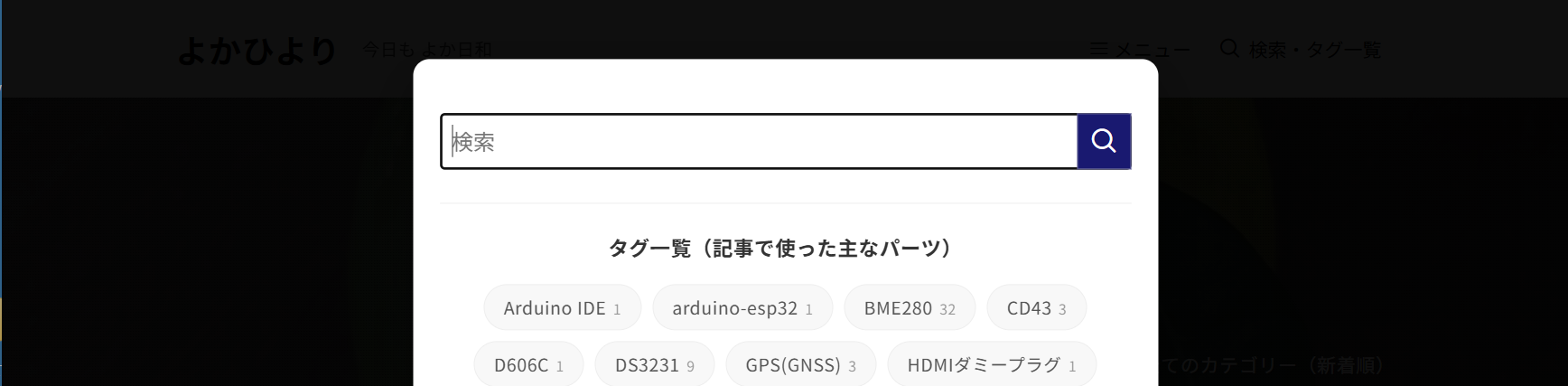
SWELLはヘッダーにPC用グローバルナビゲーションとして虫眼鏡アイコン(検索ボタン)を設置できます。そのアイコンをクリックすることでポップアップして検索窓が開きます。このポップアップして開く検索窓の下に検索時の参考となるようにタグ一覧を追加表示するようにカスタマイズした際の作業メモです。
目次
「functions.php」と「style.css」にコード登録
虫眼鏡アイコン(検索ボタン)をクリックしたとき、全画面の黒背景の画面と「閉じる」ボタンと検索窓は残したまま、その下にタグ一覧を表示します(SWELLの検索モーダル (.p-searchModal)の仕組みを活かしつつデザインを上書き)。
コード作成時のWordPress、SWELL、PHPのバージョンです。
- WordPress6.9.4
- SWELL2.16.0
- PHP8.3.30
STEP
「functions.php」にコード登録
管理者メニューの外観 > テーマファイルエディター > functions.php」にコード登録
function swell_perfect_tag_search() {
    $tags = get_tags(array('orderby' => 'name', 'order' => 'ASC', 'number' => 60));
    if (!$tags) return;

    $tag_html = '<div class="custom-tag-section"><p class="custom-tag-title">タグ一覧(記事で使った主なパーツ)</p><div class="custom-tag-list">';
    foreach ($tags as $tag) {
        $tag_html .= sprintf(
            '<a href="%s" class="custom-tag-item">%s<span class="custom-tag-count">%d</span></a>',
            esc_url(get_tag_link($tag->term_id)),
            esc_html($tag->name),
            $tag->count
        );
    }
    $tag_html .= '</div></div>';

    ?>
    <script>
    (function() {
        const tagHtml = '<?php echo addslashes($tag_html); ?>';

        const injectTags = function() {
            const inner = document.querySelector('.p-searchModal__inner');

            if (inner && !document.querySelector('.custom-tag-section')) {
                inner.insertAdjacentHTML('beforeend', tagHtml);
            }
        };

        const observer = new MutationObserver(function(mutations) {
            mutations.forEach(function(m) {
                if (m.attributeName === 'class' && m.target.classList.contains('is-active')) {
                    injectTags();
                }
            });
        });

        const timer = setInterval(function() {
            const modal = document.querySelector('.p-searchModal');
            if (modal) {
                observer.observe(modal, { attributes: true, attributeFilter: ['class'] });
                clearInterval(timer);
            }
        }, 1000);

        setInterval(injectTags, 2000);
    })();
    </script>
    <?php
}
add_action('wp_footer', 'swell_perfect_tag_search');
STEP
「style.css」にCSSを登録
管理者メニューの 外観 > カスタマイズ > 追加CSS 、もしくは外観 > テーマファイルエディター > スタイルシート(style.css)にコピー。
動作確認はFirefox(149.0.2 64ビット)と Edge、Chrome、Brave(ともにChromiumベース(バージョン 146.0.7680.178 公式ビルド 64ビット)で行っています。挙動が異なる箇所があったので「!important」を付けて検証していますが環境によっては不要と思います。
.p-searchModal {
    background: rgba(0, 0, 0, 0.75) !important;
    z-index: 999999 !important;
}

body .p-searchModal__inner {
    background-color: #fff !important;
    color: #333 !important;
    padding: 40px 20px !important;
    border-radius: 12px !important;
    max-width: 550px !important;
    width: 90% !important;
    margin: auto !important;
    box-shadow: 0 15px 40px rgba(0,0,0,0.4) !important;
}

body .p-searchModal__inner .c-searchForm__input {
    background: #f4f4f4 !important;
    color: #333 !important;
    border: 1px solid #ddd !important;
}

.custom-tag-section {
    margin-top: 25px;
    border-top: 1px solid #eee;
    padding-top: 20px;
    width: 100%;
}
.custom-tag-title {
    font-weight: bold;
    margin-bottom: 15px;
    color: #333;
    text-align: center;
    font-size: 15px;
    display: block;
}

.custom-tag-list {
    display: flex !important;
    flex-wrap: wrap !important;
    gap: 8px !important;
    justify-content: center !important;
}

.custom-tag-item {
    background: #f8f8f8 !important;
    padding: 6px 14px !important;
    border-radius: 50px !important;
    font-size: 13px !important;
    color: #555 !important;
    border: 1px solid #eee !important;
    text-decoration: none !important;
    white-space: nowrap;
}
.custom-tag-item:hover {
    background: var(--color_main, #0073aa) !important;
    color: #fff !important;
}

.custom-tag-count {
    margin-left: 5px;
    font-size: 0.8em;
    opacity: 0.6;
}

.p-searchModal__close {
    color: #fff !important;
    z-index: 100 !important;
}
PCブラウザ(Firefox、Edge、Chrome、Brave)で表示を確認
PC用グローバルナビゲーションの「虫眼鏡アイコン(検索ボタン)」のクリックでポップアップして開く画面の検索窓の下にタグ一覧が表示されていることを確認できました。
なお、CSSで虫眼鏡アイコン(検索ボタン)の横に「検索・タグ一覧」の文字列を追加するカスタマイズも行っています。
あわせて読みたい

ヘッダーの虫眼鏡アイコン(検索ボタン)の横にタイトルを表示(WordPress + SWELL)
SWELLのスマホ用ヘッダーのボタンにはアイコンの下や横にラベルを表示する機能が標準で備わっていますが、PCのヘッダーメニュー内にある虫眼鏡アイコン(検索ボタン)の...